Manage your team without the headache.
Build schedules, let your team clock in and out on Shopify POS, and export payroll-ready timesheets, all inside Shopify.
Free during preview · Built for Shopify POS
THE MOST-REQUESTED TEAM MANAGEMENT TOOL FROM BRANDS WE ALREADY WORK WITH
EVERYTHING IN ONE APP
Less time managing your team.
More time growing your store.
Build & share shifts
Set schedules and locations in a drag-and-drop weekly builder. Avoid conflicts and overtime, then share instantly.
One-tap clock in
Shopify POS check-in with automatic shift and break calculation. Every shift becomes an export-ready timesheet.
Understand top performers
See sales by staff and overall shift timeliness, so you can staff smarter and reward your strongest people.
TEAM SCHEDULING
Plan the whole week on one screen
Assign shifts across staff and locations, catch conflicts early, and publish a schedule the whole team can see.
INSIGHTS
Staff smarter with real numbers
See sales attributed to each team member alongside punctuality and attendance, so your best shifts get your best people.
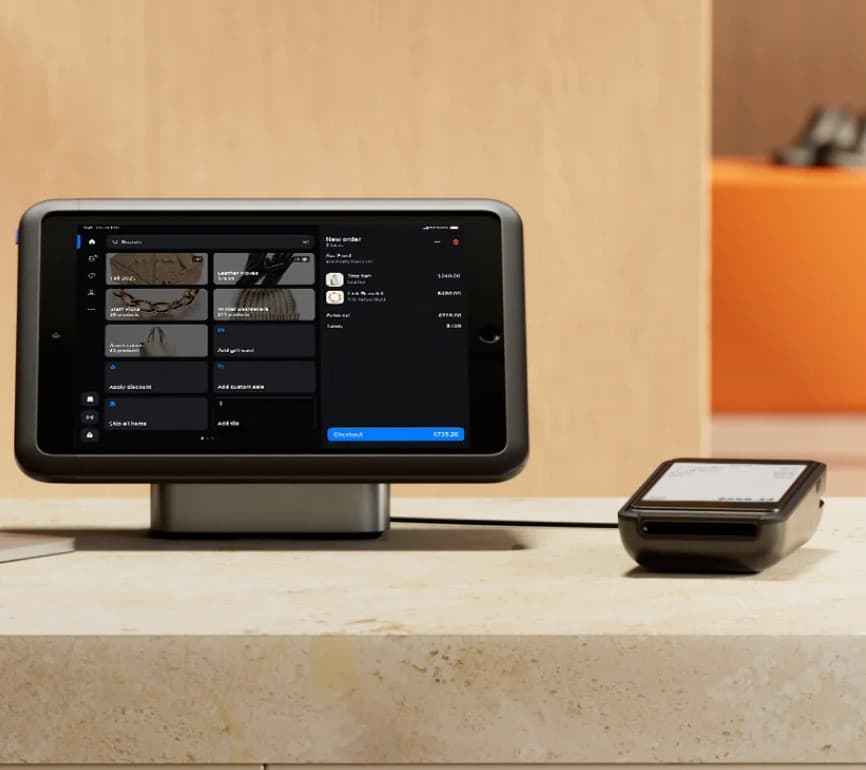
NO EXTRA HARDWARE
Runs right on the Shopify POS you already have
Team Shift adds a clock-in tile directly to Shopify POS: on the countertop stand, the card reader, or a staff member's phone. No separate app, no extra login, no additional device to buy.
UP AND RUNNING IN MINUTES
Get started in four simple steps
Install from the App Store
Staff and locations sync automatically. No third-party login.
Build your schedule
Drag shifts onto the weekly grid and publish to your team.
Team clocks in on POS
One tap at the counter starts the shift and the timer.
Export for payroll
Download payroll-ready timesheets and labour costs anytime.
Retire the spreadsheet and the group chat
EARLY ACCESS
Shaped by owners who run real teams
“We stopped chasing people over text. The schedule is just there, and clock-ins land on the timesheet automatically.”

“Payroll prep went from an afternoon to a five-minute export. It reads hours and breaks straight from POS.”

“Seeing sales by staff next to punctuality changed how we schedule our strongest shifts. Huge for a busy floor.”

Questions before you install
Does it work with Shopify POS?+
Yes. Staff clock in and out, with breaks, on any Shopify POS device. Staff and locations sync automatically from your store.
How much does it cost?+
Team Shift is free during limited preview. Install it today and start scheduling and tracking time right away.
Do I need another login or complex setup?+
No third-party login and no complex setup. It lives inside Shopify Admin and POS, so you can start tracking shifts in minutes.
Does it handle multiple locations?+
Yes. Schedule and track staff across all of your store locations from one place.
Can I export for payroll?+
Every shift becomes a timesheet you can review and edit, then export as a payroll-ready CSV with hours and labour costs.
Try Team Shift in limited preview
Start scheduling shifts and tracking time from Shopify POS today. Free during preview.