

On this page
March and April were big months. We shipped nine updates that bring AI to your bookings dashboard, give you visibility into no-shows, make pricing more flexible, and make scheduling more reliable across the board.
AI Booking Summaries 🤖
Open your Bookings tab and you'll now see an AI-powered summary at the top: trends in volume, popular services, repeat customers, and anything unusual worth a second look. It updates as your bookings change, so you get a quick read on your day or week without digging through filters.
It's the fastest way to answer "how are we doing this week?" at a glance.
Track No-Shows 🚫
Every booking row now has a status column where staff can mark customers as "Checked In" or "No Show." Once you start tracking attendance, you get visibility into patterns: which customers no-show repeatedly, which services have higher no-show rates, and which times of day are riskiest.
From there you can follow up with the customer, tighten your reminder cadence, charge a deposit on repeat offenders, or update your cancellation policy. Available on Pro and higher.
Fixed-Price Bookings 💰
You can now charge a flat rate per booking regardless of group size. If you run a workshop for $200, it's $200 whether one person or five show up — no more price multiplying by attendee count.
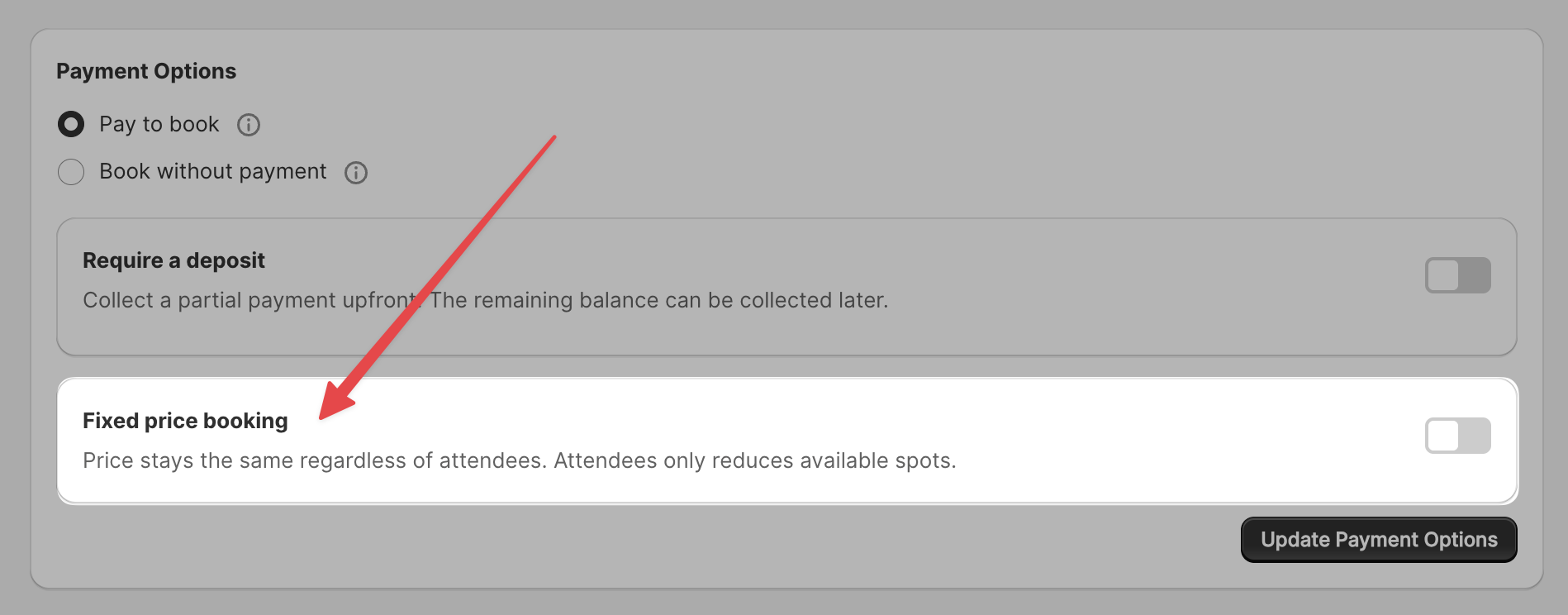
Toggle it on per-event, and deposits, refunds, and revenue analytics all adapt automatically. Great for private sessions, group classes, and fixed-rate consultations.
Event Audit Log 📋
Every change to your event settings is now tracked — who changed it, what the old value was, what the new value is, and when it happened.
If you're working with a team or want to understand why your availability looks different than expected, you can now trace it back. Our support team can also pull this up to diagnose issues faster.
Simpler Event Setup ✨
We rewrote the event creation wizard from scratch with clearer language, smarter defaults, and fewer confusing steps. The whole flow should feel more intuitive, especially for first-time setup.
Waitlist on Sold-Out Dates 📅
Previously, sold-out dates disappeared from the calendar entirely. Now, if you have the waitlist feature enabled, those dates still show up but are styled differently so customers know they're full — with a "Join Waitlist" button front and center.
Customers stay engaged instead of assuming you have no availability.
Smarter Shopify Syncing 🔗
We now listen to Shopify's product update and delete webhooks in real time. If you delete a product or remove variants in Shopify, Servicify automatically cleans up stale references — no more broken upsells or ghost variants causing cart errors.
This was a long-standing pain point and it's now fully automated.
Per-Booking Add-Ons 🛒
For stores where customers book multiple services in one order, add-on products (upsells) now correctly associate with each individual booking. Previously, all add-ons showed as a combined list across every booking in the order. Now each booking shows only its own add-ons — both at checkout and in the admin panel.
Cross-Event Double-Booking Prevention 🚫
If you share employees across multiple event types, the system now checks for conflicts across all events — not just within one. So if an employee is booked for a consultation at 2pm, they can't also be auto-assigned to a workshop at the same time.
This closes a gap that could previously lead to scheduling conflicts.
As always, thanks for using Easy Appointment Booking. We're shipping fast in 2026 and there's plenty more on the way. If you have questions or feedback, reach out anytime.